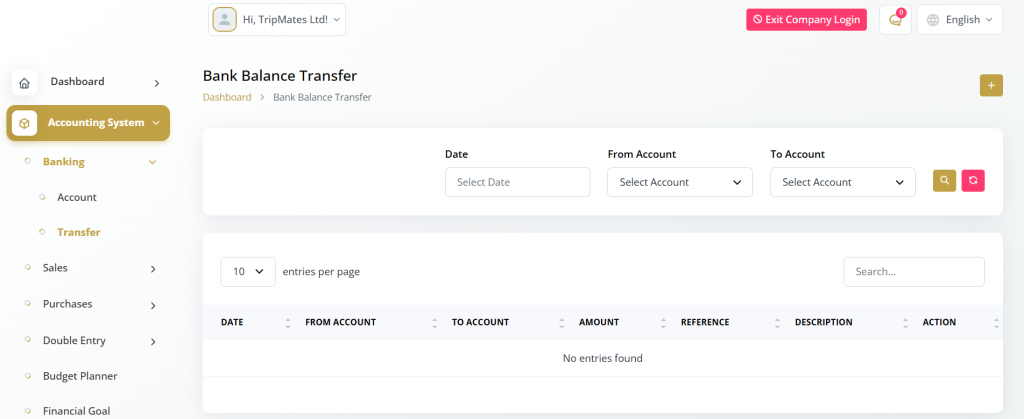
Banking
The Banking Module in Fin Ledger offers essential tools to help you manage your financial accounts and money transfers efficiently. It ensures smooth handling of all banking-related activities, providing transparency and control over your organization’s financial operations.
Here’s an overview of the two main sections included in this module:
Accounts Page – Manage and monitor all your bank accounts in one place.
Transfers Page – Record and track fund transfers between accounts with ease.
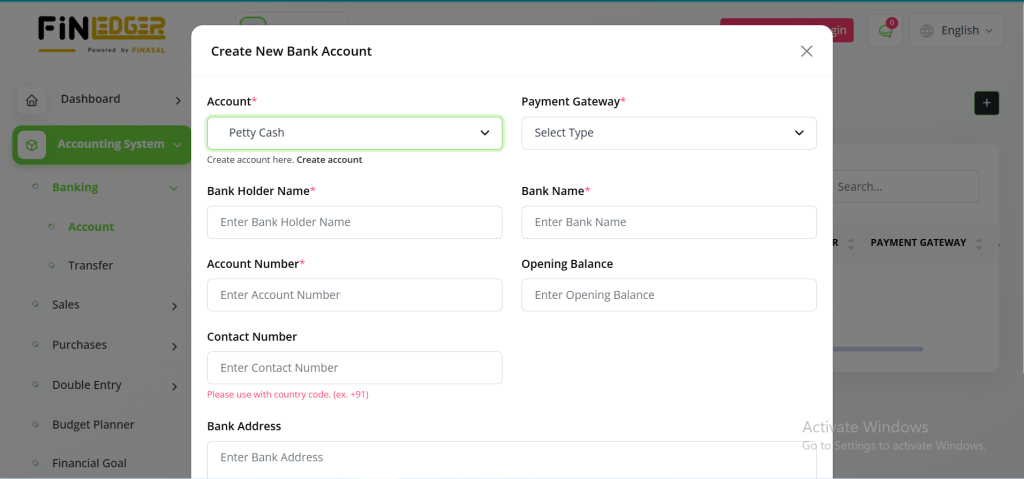
Accounts Page
The Accounts Page in Fin Ledger allows you to efficiently manage all your financial accounts from a single, centralized platform. Whether you maintain multiple bank accounts, cash accounts, or other financial assets, this page helps you stay organized and up to date. You can easily view, create, edit, or delete accounts while keeping complete control over your financial data.
Key Features:
View Accounts: Access a complete list of all financial accounts.
Add New Accounts: Create new bank or cash accounts as needed.
Edit Accounts: Update account details quickly and accurately.
Delete Accounts: Remove inactive or unnecessary accounts.
Track Balances: Monitor current balances and financial activity in real time.
Transaction Overview: Review transaction history for better record-keeping.

Transfers Page
The Transfers page lets you create, edit, or delete transfers between your financial accounts. Whether transferring funds between bank accounts, making cash transactions, or conducting other financial transfers, this page simplifies the process. Maintain a clear audit trail of all your financial transfers, ensuring accuracy and compliance with your financial management practices.
With the Banking Module in AccountGo SaaS, you have the tools and capabilities you need to effectively manage your financial accounts and transfers, enabling you to maintain control over your finances and make informed decisions for your business.